
It’s a Tuesday. You’ve closed twelve tabs, answered forty messages, and shipped exactly nothing that you’ll remember in a year. The day felt busy. It didn’t feel like you.
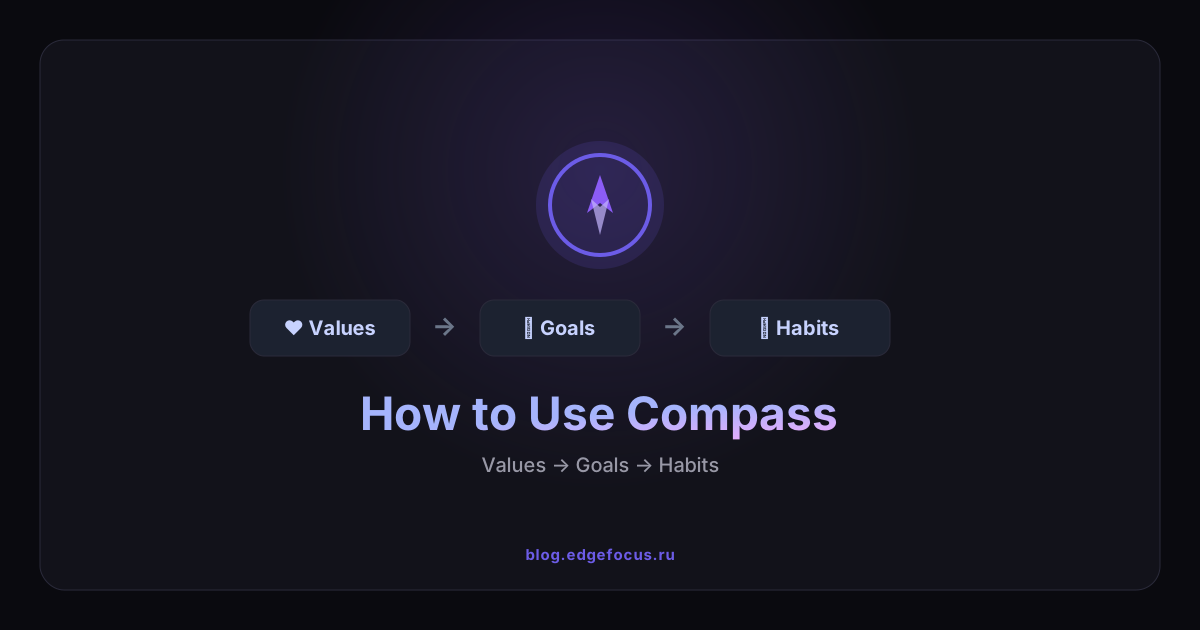
That gap — between motion and meaning — is what Compass is for. It’s not another to-do list. It’s a small, living map of who you’re trying to become: Values → Goals → Habits. Setting it up takes about five minutes. Keeping it takes a few seconds a day. And once it’s running, a single ring on each value tells you the truth you usually can’t see: which part of your life is alive right now, and which one has quietly gone cold.
Let’s build yours. We’ll follow one real example all the way through — a value called Health, a goal to run a 10K this autumn, and one absurdly small habit: a 10-minute walk after lunch.
Want the why behind it first? Read Identity-Based Productivity — then come back and build.
The three pieces (and why they need each other)
- A value is who you are — written as “I am someone who…”. Not “fitness.” “I am someone who treats their body like it has to last 100 years.” That’s an anchor.
- A goal is where that value is heading right now — the 10K. Concrete, finite, measurable.
- A micro-habit is the daily vote — the 10-minute walk. So small you can’t talk yourself out of it.
A goal without a value is rudderless. A habit without a value is a chore. Compass keeps all three on the same card, so the walk you take today is visibly connected to the person you said you wanted to be.
Step 1 · Open Compass
Left menu → Compass. On a phone, tap the top menu icon and pick Compass. Or just press g then o from anywhere — muscle memory worth building.
The first time, the board is empty and a little expectant. You’ve got two doors in: the guided setup, or one-tap starter values. Take the guided one — it’s the good part.
Step 2 · Run the guided setup (this is the magic trick)
Tap “Build from your goals.” Most apps ask you to list your values cold, and you end up with twenty words that all mean “be good.” Compass does the opposite — it runs an elimination funnel that subtracts until only the real ones survive:
- Goals first — write your 2–3 biggest. (“Run a 10K.” “Ship the v2.” “Be present with my kids.”)
- Surface the values behind them — brainstorm ~16, tagging each to the goal it serves. Who do you have to be to pull these off?
- Eliminate — round by round, the board makes you cut: 16 → 12 → 8 → a final 3–6. It stings a little. That’s the point.
- Merge — fold the overlaps. Longevity and Health aren’t two things; drag them into one.
- Micro-habits — for each survivor, name one tiny daily action.
You walk out the other side with a values list short enough to recite from memory — a constraint set, not a wish list. (Prefer to start by hand? Skip the wizard, tap a starter value, or hit “Add value” and build your own.)
Step 3 · Add a value
Tap “Add value,” name it (Health), pick an emoji and a color you’ll recognize at a glance, and write the identity line: “I am someone who treats their body like it has to last 100 years.” Everything else lives under this.
Step 4 · Add a goal
Inside Health, tap “Goal” → “Run a 10K this autumn.” Set progress to wherever you honestly are (5%? fine). A goal can serve several values at once — your 10K might also feed Discipline — so toggle every chip that fits, and it’ll appear under each of them.
Step 5 · Add a micro-habit
Tap “Habit” → “10-minute walk after lunch.” Link it to Health, give it a cue (“right after I close my laptop for lunch”), set the cadence to daily.
Resist the urge to make it bigger. “Run 5K” is a habit you’ll skip on a bad day; “walk 10 minutes” is one you’ll keep on your worst day — and the worst days are the ones that decide who you become.
Step 6 · Check in — and watch it react
Tomorrow at 12:40, you take the walk. You open Compass, tap the circle next to it, and it lights up in your color. Three things move at once: a 🔥 streak appears, the 7-day strip gets its first filled dot, and the Health value’s alignment ring flickers up off zero.
That little hit of “the ring moved” is the entire engine. Do it again tomorrow.
What it actually looks like by week two
- Day 1: one filled dot, streak of 1, ring barely glowing.
- Day 7: a full week of dots, streak of 7, ring climbing — and you notice you want to keep it unbroken.
- Day 14: the walk is automatic. You’re not “trying to be healthy” anymore; you’re someone who walks after lunch. That’s the whole game — the identity arrived through the habit, not the other way around.
Read the alignment ring once a week
Each value carries an alignment score (0–100%), and it’s the most honest number on the board. It blends two signals 50/50:
- the average progress of that value’s goals, and
- the 7-day completion rate of its habits.
Why both? Because a goal alone is a daydream and a streak alone can be busywork. A value only glows when you have direction and a daily system. So once a week, scan the rings and ask one question: which value has cooled, and what one tiny habit would warm it back up? A bright ring on Health and a grey ring on Relationships isn’t a failure — it’s a map. Now you know where tomorrow’s 10-minute walk should go.
Put it in your pocket
Compass is best as a phone app you check in from:
- iPhone · Safari — open edgefocus.ru → Share → “Add to Home Screen.”
- Android · Chrome — open edgefocus.ru → ⋮ → “Install app.”
Full-screen, offline, one tap from your home screen — exactly where a daily ritual belongs.
Five rules that make it stick
- Start with 1–3 values. Spread thin and you light up nothing.
- Keep habits under two minutes at first. Earn the right to grow them.
- Anchor each new habit to something you already do — that’s your cue.
- Glance at the rings weekly, not hourly. It’s a compass, not a stopwatch.
- Never miss twice. One skipped day is an accident. Two is the start of a new pattern.
You don’t rise to the level of your goals. You fall to the level of your systems. Compass is where you build the system — one tiny, visible vote at a time.